LGM Global Borderless Cards Categories
LGM Popular Debits Cards.
LGM Business Debit Card
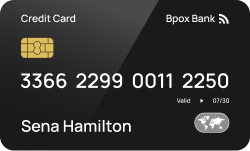
Earn up to 5% cash back
Rewards
$233 online cash rewards bonus offer & 5% cash back on your selected categories
1.5% cash back on all other eligible purchases
Annual Fee
No annual fee intro the first year
APR
0% Intro APR on purchases and any balance transfers within the first 2 month of your account opening
Virtual Debit Card
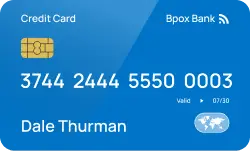
Earn up to 5% cash back
Rewards
$233 online cash rewards bonus offer & 5% cash back on your selected categories
1.5% cash back on all other eligible purchases
Annual Fee
No annual fee intro the first year
APR
0% Intro APR on purchases and any balance transfers within the first 2 month of your account opening
LGM Travel Money Card
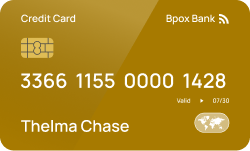
Earn up to 5% cash back
Rewards
$233 online cash rewards bonus offer & 5% cash back on your selected categories
1.5% cash back on all other eligible purchases
Annual Fee
No annual fee intro the first year
APR
0% Intro APR on purchases and any balance transfers within the first 2 month of your account opening
More ways to use your LGM debit card

Global ATMs Cash Out
LGM debit cards takes the worry out of using ATMs abroad. You pay only a super-low fee on withdrawals after the first $2,000. * LGM will not charge you for these withdrawals, but some additional charges may occur from independent ATM networks.

Everyday purchases
Use your LGM debit card for everyday expenses like groceries, gas, or utility bills. It offers a convenient and secure payment method, and if paid in full each month, you can avoid interest charges.

Rewards & cashback
LGM Global debit cards offer rewards programs or cashback on eligible purchases. Take advantage of these benefits by using your debit card strategically for expenses you make globally.

Online shopping
LGM global debit cards are use everyday for online purchases. LGM Cards provide an added layer of security through fraud services. Ensure you shop from websites and use secure payment gateways.

Manage your business credit
Easily issue cards to your global workforce. Issue multi-currency Employee Cards to your team members around the world to streamline their local and global purchases. Make a positive impact on this world. Open your sustainable Tomorrow account in a few minutes and get an oh so pretty debit card that makes everyday life easier.
Apply for your LGM debit card and get it shipped in 3 simple process
With the LGM card, you never have to worry about exchange rate markups, or high transaction fees when you spend abroad.
Research and compare
Submit an application
Approval and activation
No overdraft Fees
Top credit card questions
The global debit card you will receive from LGM is either Visa or Master Card debit card. It’s a universal card that’s directly linked to your account. It has all you need: you can pay online, mobile and contactless and it’s internationally accepted. Whenever you use your LGM debit card to pay at a store, the money is debited as quickly as possible from your account; either directly afterwards or within a few days. That’s different from credit cards, where all amounts are charged together at the end of the month. Payments that can’t be deducted immediately will be reserved to make sure that you’re always in control.
With your LGM debit card you can pay contactless. This means that you no longer need to insert your card into a card reader and enter your code. For this purpose your card has an NFC chip which transmits data over short distances by electromagnetic induction. Well, to be entirely honest: You won’t need to enter your PIN up to an amount of $25. For safety reasons you still need to confirm the payment of higher amounts with your PIN. And of course, you always receive a push notification on your smartphone right after your card has been used.
An international corporate business card is a payment card you can use to make payments in multiple foreign currencies from balances in your associated business account. LGM Corporate cards are multi-currency cards that enable your employees to make purchases in multiple currencies from held balances in your Airwallex Wallet. This can be useful in eliminating costly and unnecessary currency conversion fees on international spend. LGM Corporate Cards are free to create and you can start using them immediately online. Pay for goods and services anywhere Visa or Master Card is accepted, both online and in store.
LGM business card paying for goods and services in more than one currency can benefit from the reduced fees associated with a multi-currency card. With an Airwallex Borderless Card, you can pay for domestic and international purchases directly from held currency balances in your LGM global Wallet, eliminating unnecessary FX conversion fees. If you don’t have the necessary balance in the required currency, we’ll auto-convert available funds in your home currency using the interbank FX rate. You'll also benefit from 0% foreign card transaction fees and no hidden charges. LGM Borderless Cards are designed to streamlined your approach to company spending and give you more visibility and control. Eliminate the burden of manual reimbursements, set spending limits and controls, create custom approval workflows, and instantly create, freeze, or cancel cards. You'll always have a complete real-time view of card activity.
Issuing a physical personal or business card To issue a physical personal or business card, simply follow these steps: Step 1. Navigate to the 'Cards' , then 'Create a new card' Step 2. Select the card type from drop down menue Step 3. Select “Order Card Now” Note: For security reasons, we are not able to deliver physical cards to PO Boxes. Step 5: Review the name to be printed on the card, only required when creating a physical card for the first time in your account
Not quite everywhere, but almost. To be specific, you can pay wherever Visa or Master Card is approved. That's quite a lot of places. You will get by in your everyday life without any problems using our card. Paying in a foreign currency free of charge at the official Visa and Master Card exchange rate The same goes for withdrawals: Wherever you see the Visa or Master Card logo, you can withdraw cash. And that's pretty much every ATM worldwide. A little lost? No worries, Our Global ATM Locater will show you the way.
To activate Apple Pay, open the Tomorrow App on your iPhone, go to your card settings, click on the button “Apple Pay” and follow the instructions given. To activate Google Pay, download the Google Pay App from the Play Store and add your LGM card. Takes only a few minutes.
LGM Global business cards are good for business purchases that are typically made online and on behalf of the entire company or specific teams and departments. This could include purchases such as software subscriptions, office supplies, supplier payments, and marketing expenses. LGM global business cards are currently only available for BTC Business/Merchant account holders. As an admin, you will be able to access card details for company cards. Employee cards are great for individual employee purchases either made online or in person. This could include travel expenses like airfare or hotels and incidental purchases like coffee or snacks. Cardholders can also add their employee cards to their digital wallet for easy, contactless purchasing. As an admin, you will not be able to access card details for employee cards. Only the cardholder will be able to access their card details.
Yes, you can typically activate your ATM card by making your first transaction as a withdrawal at any Visa or Master Card ATM global network. Steps to Activate Your LGM ATM Card 1) Go to any Visa or Master Card ATM global network: You must use an ATM belonging to any Visa or Master Card ATM global network for the initial activation. Insert your card: Insert your new ATM card into the machine. Enter your your PIN: Use the four-digit PIN that your bank provided in a mail envelope your receive. Follow on-screen prompts: The ATM should guide you through an activation process, which usually involves entering the amount. Note: Initial card activation withdrawal limit is $100, do not withdraw more than the initial activation limit or risk blocking your LGM debit card. Complete a transaction: Perform a withdrawal as requested to ensure the process is complete. The screen will indicate when your withdrawal transaction is completed, and you will receive a confirmation text message on your registered mobile number or an email.
This article runs through common reasons your card transaction might be rejected, declined or fail. Virtual or physical cards 1. Amount exceeded limits on the card Your card may have a spending limit on individual transactions, and also limits on how much you can spend per day/week/month. Any transactions that exceed those limits will unfortunately fail. You can see the limits that apply to your card in your account, just beneath the card details. Failure message - 'Card’s spend limit exceeded' 2. Insufficient funds in your business' LGM wallet If your payment fails but you haven't exceeded any of your card limits, it may be that the business your card is associated with doesn't have sufficient funds in their LGM wallet for you to make the payment. You may not be able to see the overall account balance, depending on your user permissions, so it's best to speak to an Admin on the account so that they can check the balance and make a deposit if needed. Insufficient funds can occur in 2 scenarios. 1. If the transaction was made in the currency where we support direct billing, we will attempt to deduct the transaction amount first through the direct billing currency, then through the primary currency wallet you have selected. If the wallets do not have sufficient funds, the transaction will be declined. Do note we will only deduct the funds if either of your wallet has sufficient funds for the entire transaction amount. We will not be able to debit your wallet if you only have partial amounts in both wallets. 2. If the transaction was made in a currency where we do not support direct billing, we will attempt to deduct the transaction amount through the primary currency wallet you have selected. You can check and select your primary currency through your Webapp, under the Cards section, within the Settings tab. Failure message - 'Insufficient balance